
OpenStreetMap polygons
using SpeciesDistributionToolkit
const SDT = SpeciesDistributionToolkit
using CairoMakie
Polygons can be retrieved through the OpenStreetMap nominatim API, which is a very convenient way to get information from free-text queries.
We will grab the landmass mask from Natural Earth, which will be useful to show where our downloaded polygons are.
lnd = getpolygon(PolygonData(NaturalEarth, Land))FeatureCollection with 11 features, each with 0 propertiesCountries
The OpenStreetMap provider can be used to get information about countries. This is a more specific query than the generic Places data type, as we internally rely on API queries that will (attempt to) limit the search to country-like areas.
Countries and contested areas
"Country" (and other parameters in OSM API searches) do not necessarilly mean that the returned entity is a country; for example, "state" is often used as a level 1 administrative division even if they are locally called something different. The ESRI provider has explicit information about contested areas.
Because OSM is not a static provider, but instead returns the polygon based on a query, the getpolygon function must be called with additional arguments.
osmpol = getpolygon(PolygonData(OpenStreetMap, Countries); country="Malaysia")FeatureCollection with 1 features, each with 10 properties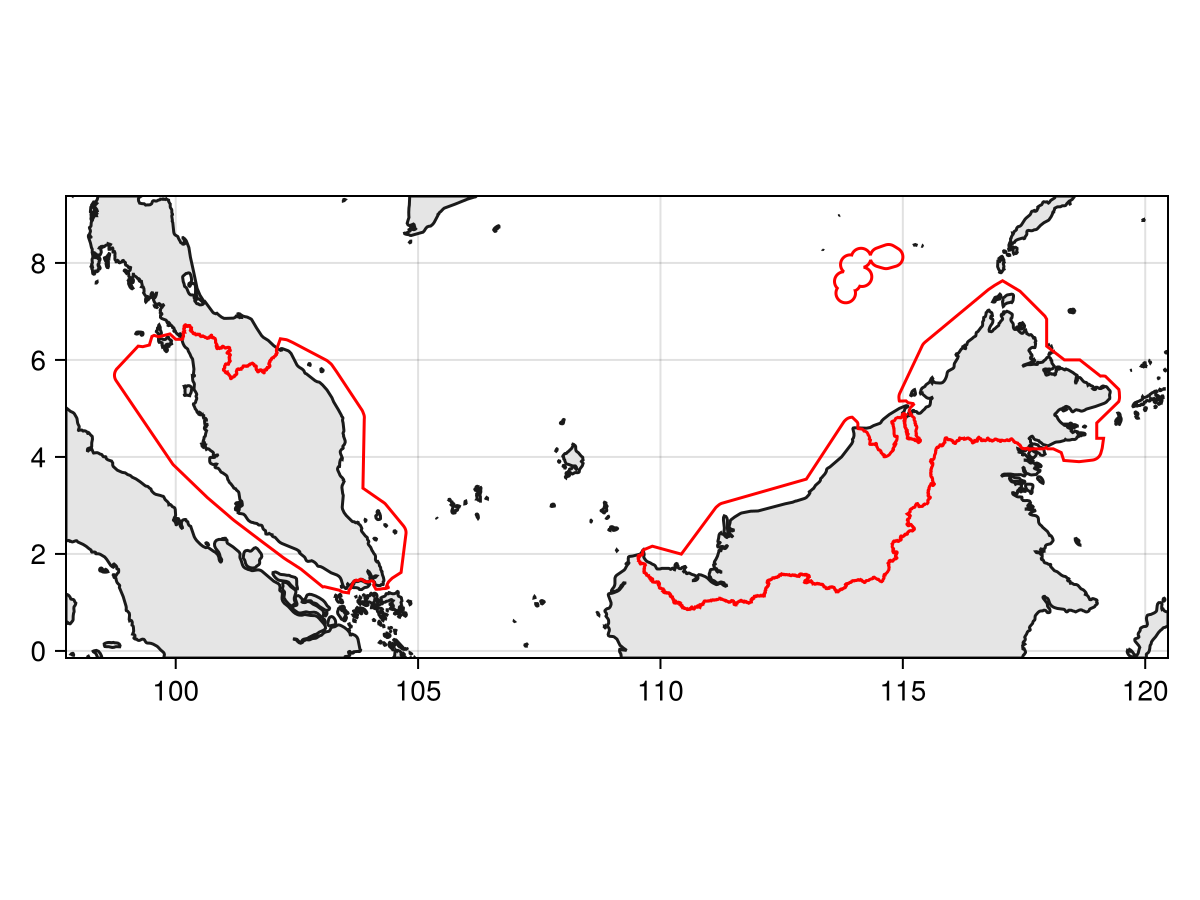
Code for the figure
f = Figure()
ax = Axis(f[1,1]; aspect=DataAspect())
poly!(ax, clip(lnd, SDT.boundingbox(osmpol; padding=1.0)), color=:grey90)
lines!(ax, clip(lnd, SDT.boundingbox(osmpol; padding=1.0)), color=:grey10)
lines!(ax, osmpol, color=:red)
tightlimits!(ax)
Note that the polygons are returned with territorial waters, but they can be interesected with the landmass, as explained in the vignette on polygon operations.
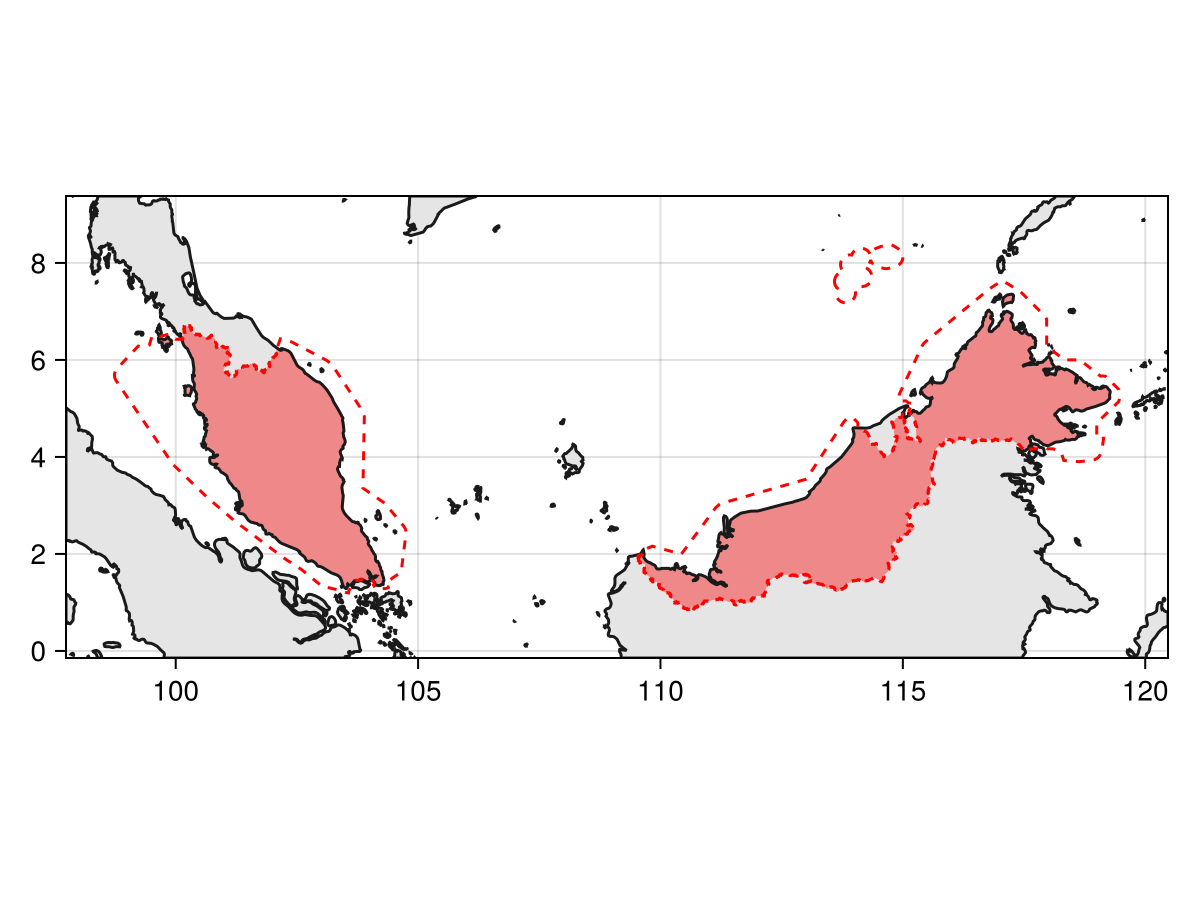
Code for the figure
f = Figure()
ax = Axis(f[1,1]; aspect=DataAspect())
poly!(ax, clip(lnd, SDT.boundingbox(osmpol; padding=1.0)), color=:grey90)
poly!(ax, intersect(lnd, osmpol), color=(:red, 0.4))
lines!(ax, clip(lnd, SDT.boundingbox(osmpol; padding=1.0)), color=:grey10)
lines!(ax, osmpol, color=:red, linestyle=:dash)
tightlimits!(ax)
The information about the area according to the OSM database are always included in the returned object (a FeatureCollection), and can be inspected:
uniqueproperties(osmpol)Dict{Symbol, Vector} with 10 entries:
:osm_type => ["relation"]
:osm_id => [2108121]
:addresstype => ["country"]
:type => ["administrative"]
:name => ["Malaysia"]
:display_name => ["Malaysia"]
:place_rank => [4]
:place_id => [236853914]
:category => ["boundary"]
:importance => [0.823485]Places
For other queries, the more generic Places data type (and its place keyword argument) must be used:
osmpol = getpolygon(PolygonData(OpenStreetMap, Places); place="Alps")FeatureCollection with 1 features, each with 10 properties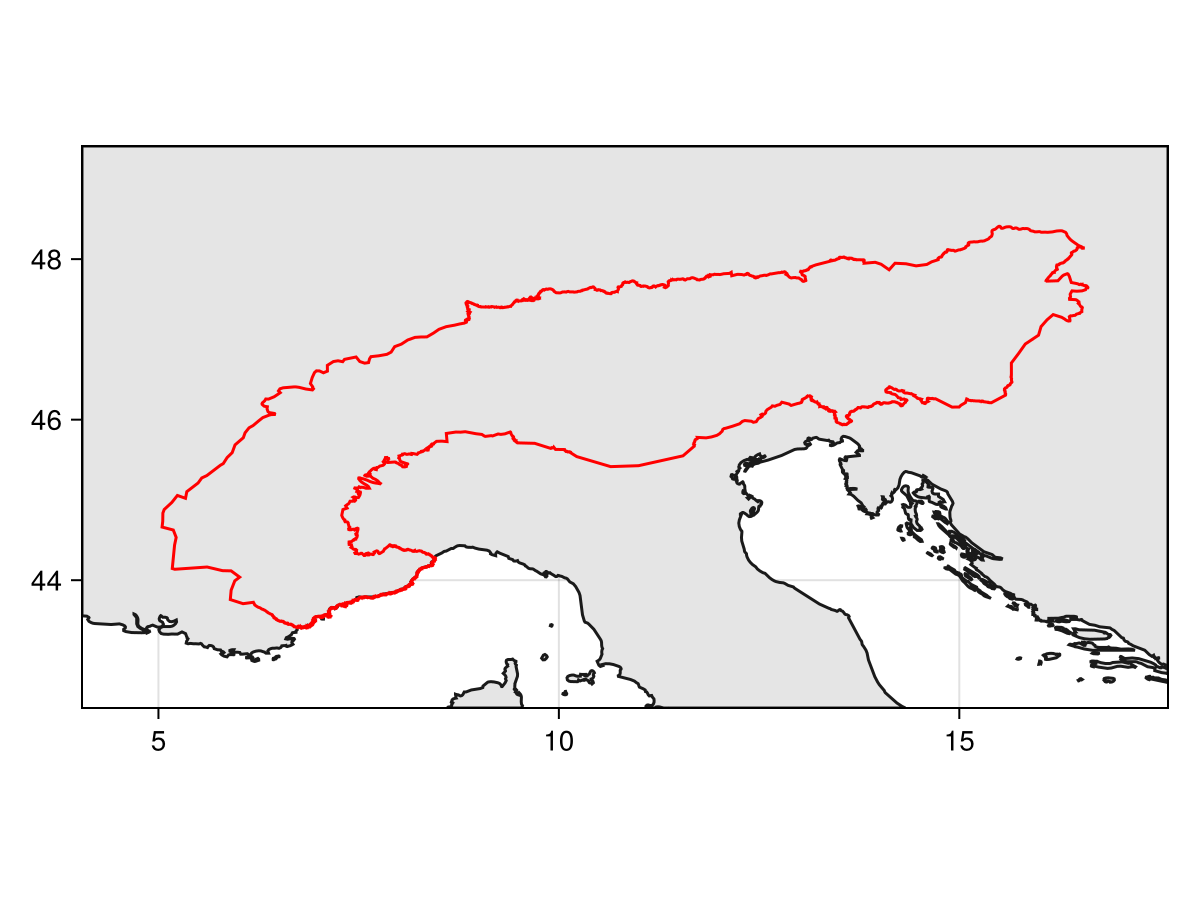
Code for the figure
f = Figure()
ax = Axis(f[1,1]; aspect=DataAspect())
poly!(ax, clip(lnd, SDT.boundingbox(osmpol; padding=1.0)), color=:grey90)
lines!(ax, clip(lnd, SDT.boundingbox(osmpol; padding=1.0)), color=:grey10)
lines!(ax, osmpol, color=:red)
tightlimits!(ax)
Similarly, this comes with additional metadata:
uniqueproperties(osmpol)Dict{Symbol, Vector} with 10 entries:
:osm_type => ["relation"]
:osm_id => [2698607]
:addresstype => ["region"]
:type => ["region"]
:name => ["Alps"]
:display_name => ["Alps, Italia"]
:place_rank => [25]
:place_id => [419228044]
:category => ["boundary"]
:importance => [0.722467]Related documentation
SimpleSDMPolygons.OpenStreetMap Type
OpenStreetMapThis provider uses the nominatim OSM Germany service to map a user-provided name of any arbitrary place to an OSM ID, then uses the polygon creation service hosted by OSM France to return a GeoJSON file.
source